

Spanish procedures, from your iPhone
Your pocket
paperwork pro.
ID expiring? Just moved? A fine? Tell me what's up and I'll tell you what to do. Then I fill in the official website for you. You just add the Face ID.
For iPhone · No account · Your data stays on your iPhone
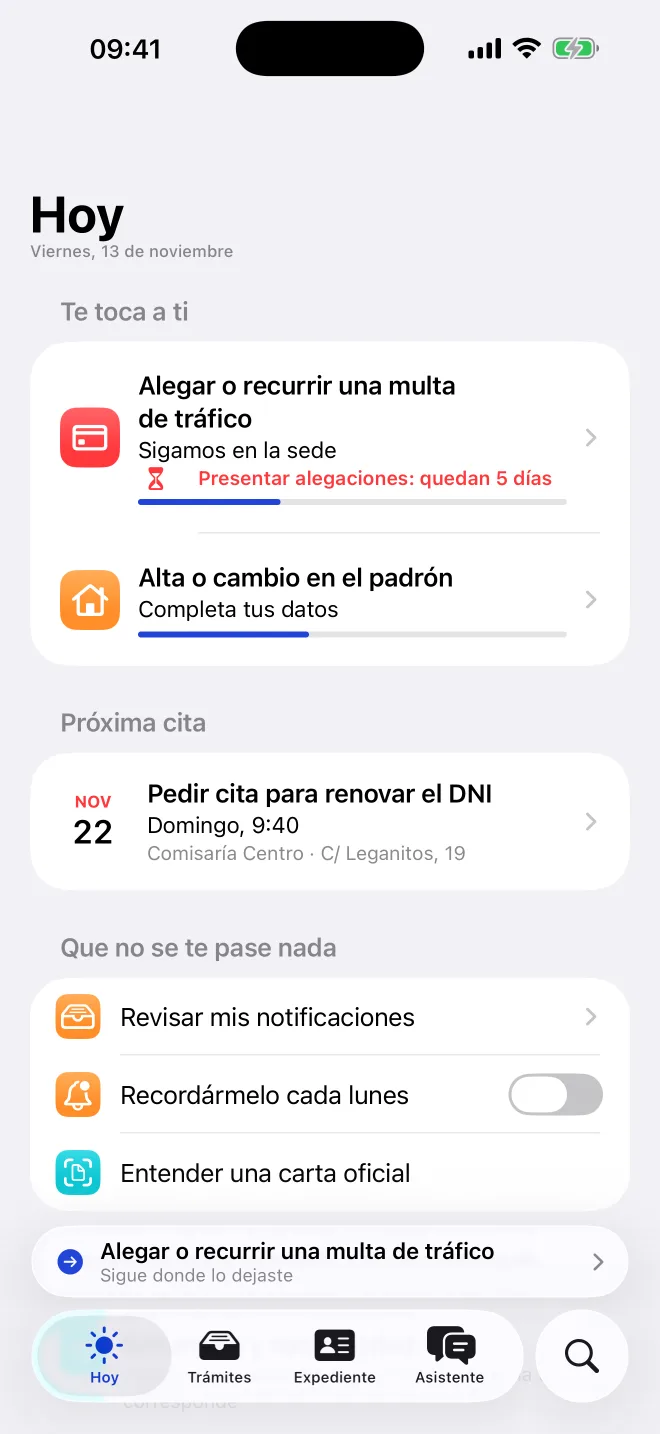
Start with what happened to you, not with the name of the procedure.
My DNI is expiring.
Book an appointment to renew your DNI
I've moved house.
Register or update your address on the padrón (municipal register), and your address with the DGT and Hacienda (the tax office)
I got a fine.
Pay it with a discount, or contest it before the deadline
I've been laid off.
Claim unemployment benefit and challenge the dismissal in time
We're having a baby.
Register the birth at the Registro Civil (civil registry) and claim birth benefit
I want Spanish citizenship.
Find out which route applies to you and prepare the application
A procedure is a list of steps we do together.
I handle the paperwork. You only show up when a real person is needed.
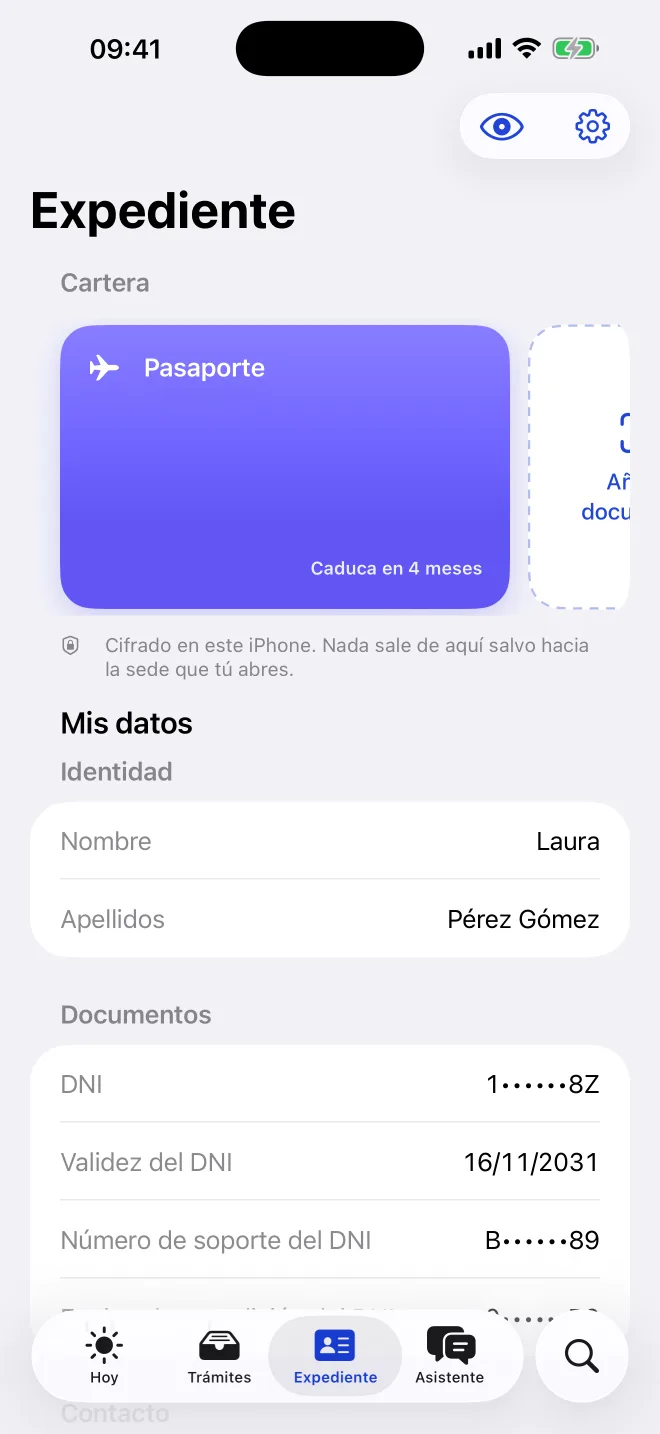
You tell me what's up
In your own words, like you'd tell a friend. I tell you which procedure applies, what it costs, what you need and which official website each thing comes from.
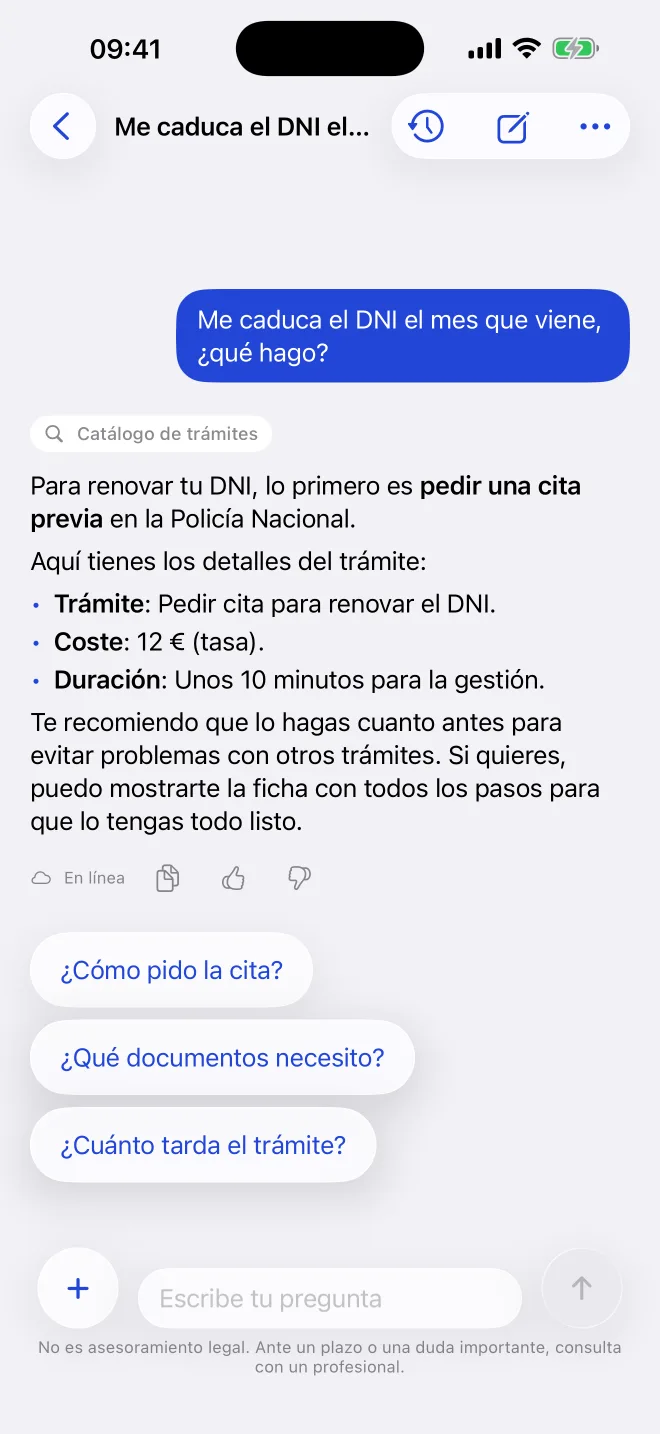
I gather your papers
You scan your DNI or passport and I read the details on the iPhone itself. They're stored encrypted in your file and you get a warning before they expire.
I fill in the official website
I open the procedure's website inside the app, log in with your Cl@ve, fill in and move forward. I tell you what I'm doing; if something is up to you, I ask.
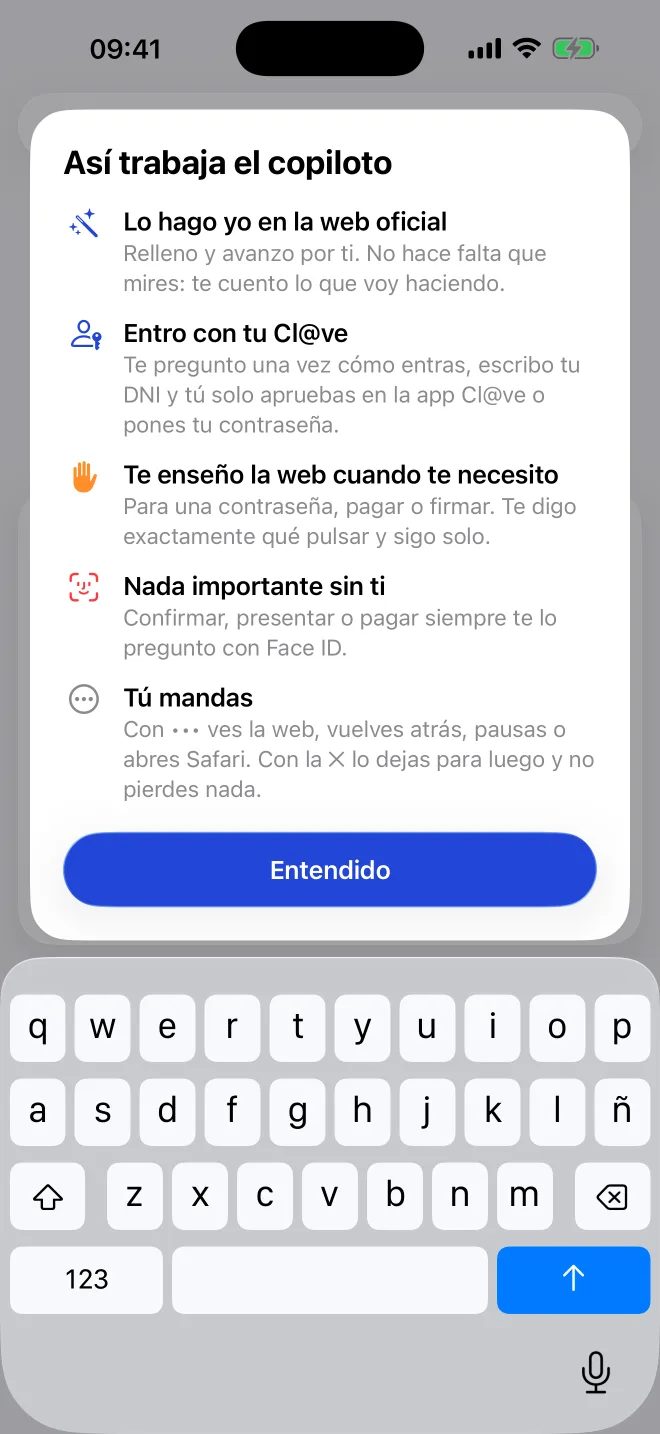
You add the Face ID
Confirming an appointment, submitting an application or paying never happens without you. You type the passwords yourself, and the CAPTCHAs too.
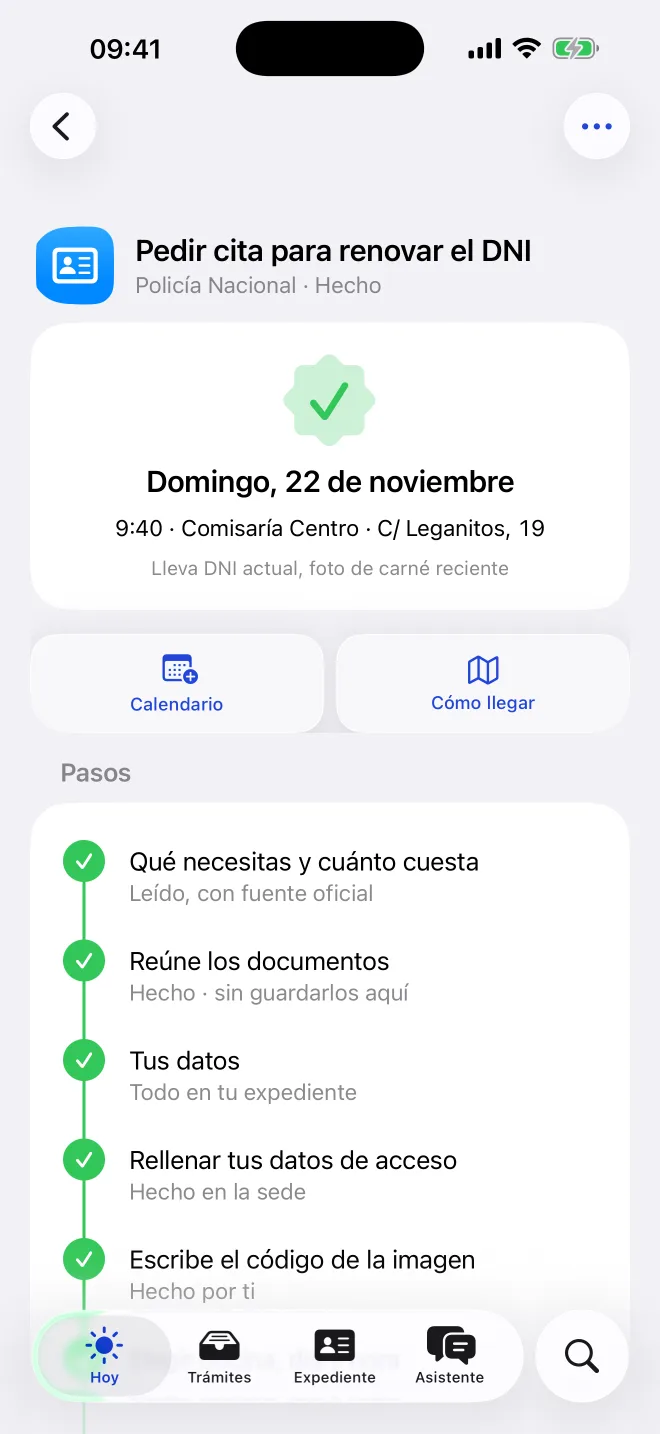
Done. Next.
You're left with the receipt, the appointment in your calendar and what to bring. And if a procedure gets really complicated, I put you in touch with a professional.
Don't miss a single deadline.
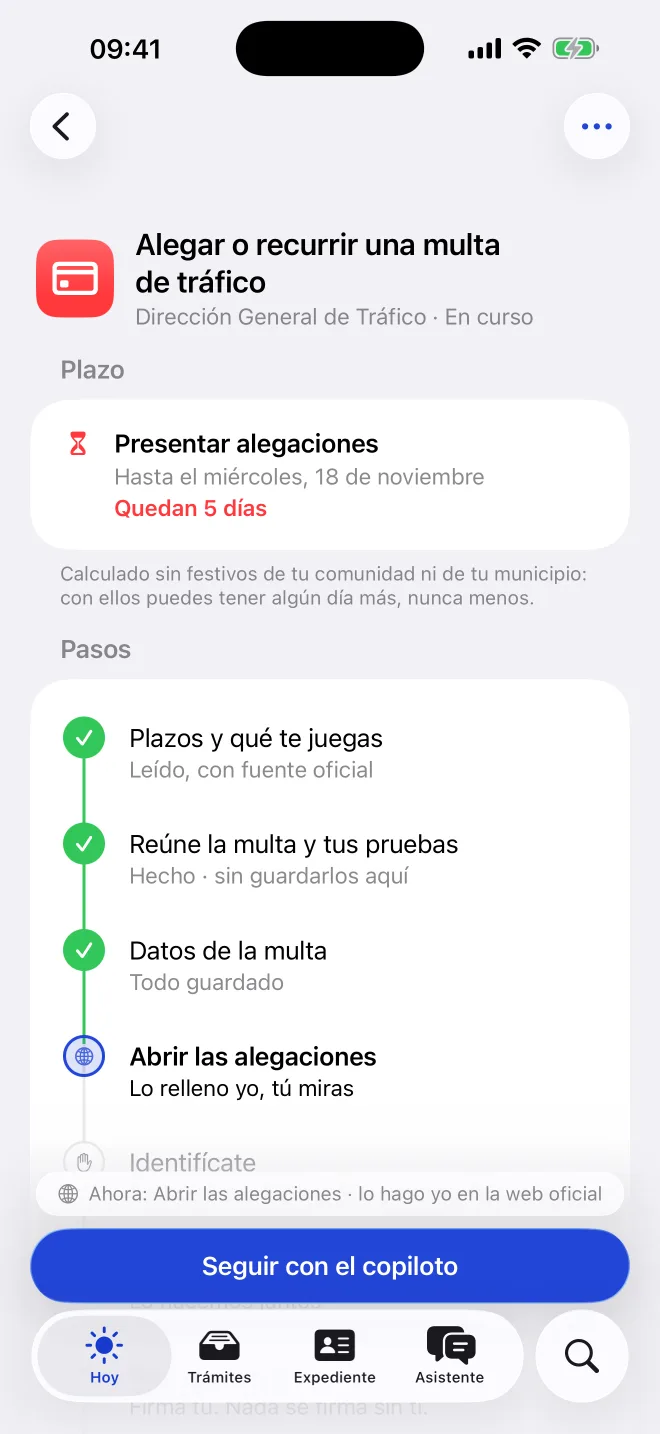
Contest a fine, claim unemployment benefit, challenge a dismissal, pay inheritance tax. I give you the exact date, warn you three days before and on the last day, and remind you when your documents expire.
Submit your defence
Until Wednesday,
18 November
5 days left
- From
- the day after the notification
- Counted in
- working days, excluding national holidays
- Under
- Ley 39/2015 (the Spanish law on administrative procedure), article 30
Regional and local holidays are not excluded: with them you may have an extra day or two, never fewer.
Your papers stay on your iPhone.
No account and no ads. What you scan is read on the iPhone itself and stored encrypted. Your data only goes to the official website that you open.
Encrypted in the keychain
Sensitive data is not copied to other devices. Images are shown after Face ID.
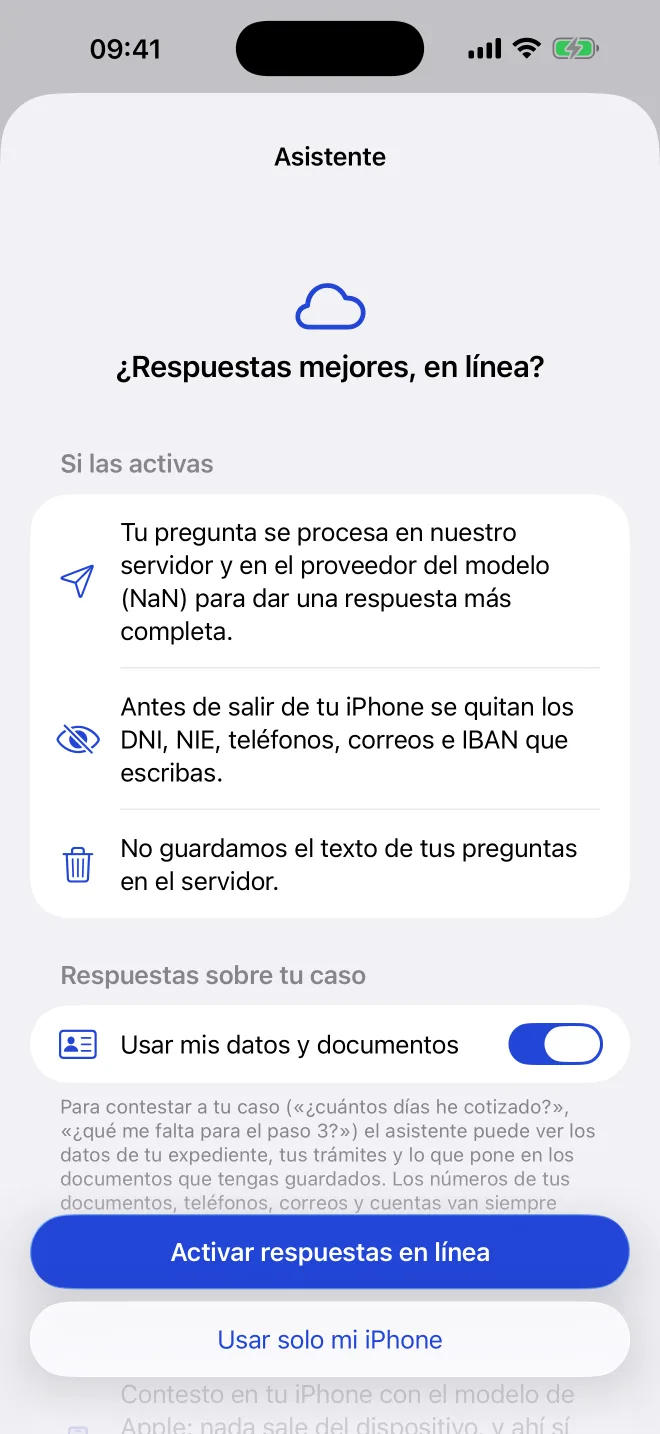
Online assistant, if you want
Before anything leaves your iPhone, DNI, NIE, phone numbers, emails and IBAN are removed. We don't keep the text.
Take it or delete it
Export your whole file or delete all of it from the app, whenever you like.
No tracking
We don't follow you across apps and we don't sell anything to anyone.
The most common procedures, each with its guide.
Each one with its steps, its costs and the official source for every detail. If yours isn't here, the app builds it for you from the government websites.
70 procedures with a step-by-step guide
DNI, passport and Cl@ve
- Get the FNMT digital certificateRoyal Mint (Fábrica Nacional de Moneda y Timbre, FNMT)
- Register for Cl@veCl@ve · Government of Spain
- Book an appointment to renew the DNINational Police (Policía Nacional)
- Book an appointment for your passportNational Police (Policía Nacional)
Home and padrón
- Rent aid for young peopleYour regional government · Ministry of Housing
- Apply for the electricity social tariff (bono social)Reference energy supplier (comercializadora de referencia) · Ministry for the Ecological Transition
- Habitability certificate (cédula de habitabilidad)Regional government (comunidad autónoma) or town hall
- Home energy performance certificateCertified energy assessor · Your regional register
Work and unemployment
- Register as self-employed (autónomo)Tax Agency (Agencia Tributaria) and Social Security Treasury (Tesorería General de la Seguridad Social)
- Deregister as self-employed (autónomo)Social Security Treasury (Tesorería General de la Seguridad Social) and Tax Agency (Agencia Tributaria)
- Capitalise your unemployment benefit (lump sum)State Public Employment Service (SEPE)
- SEPE benefits certificateState Public Employment Service (SEPE)
Hacienda (tax office)
- Book an appointment at the Tax AgencyTax Agency (Agencia Tributaria)
- Defer or pay a tax debt in instalmentsTax Agency (Agencia Tributaria)
- Certificate of being up to date with your taxesTax Agency (Agencia Tributaria)
- Change your tax address with HaciendaTax Agency (Agencia Tributaria)
Car and fines
- Permanently deregister a vehicleDirectorate-General of Traffic (DGT)
- Change of address with the DGTDirectorate-General of Traffic (DGT)
- Duplicate driving licenceDirectorate-General of Traffic (DGT)
- DGT vehicle reportDirectorate-General of Traffic (DGT)
Family
- Marriage certificateCivil registry (Registro Civil) · Ministry of Justice
- Birth certificateCivil registry (Registro Civil) · Ministry of Justice
- Large family certificate (familia numerosa)Social services in your region
- Accept an inheritanceNotary (Notaría) · Regional government
Immigration (extranjería) and citizenship
- Apply for family arraigo (residence through family ties)Immigration office (Oficina de Extranjería)
- Apply for second-chance arraigoImmigration office (Oficina de Extranjería)
- Apply for social arraigo (residence through integration)Immigration office (Oficina de Extranjería)
- Apply for training-based arraigoImmigration office (Oficina de Extranjería)
Justice
- Criminal record certificateMinistry of Justice (Ministerio de Justicia)
- Apostille a Spanish documentMinistry of Justice · High Courts of Justice · Notaries' Associations
- Order a sworn translationMinistry of Foreign Affairs · Language Interpretation Office
Complaints
- Complain to a shop or companyConsumer offices (Oficinas de consumo)
- Claim for a delayed or cancelled flightState Aviation Safety Agency (AESA)
- Complain to your bank and the Bank of SpainBank of Spain (Banco de España)
Health
- Get your health card (tarjeta sanitaria)Health service in your region · Social Security
Also in your language.
The app switches language instantly, including right-to-left Arabic. Procedures for foreigners (extranjería), citizenship, padrón and certificates come translated; what counts legally is still the Spanish text, and the app reminds you.
- Español
- English
- العربية
- Français
- Română
- 中文
- Українська
And a real person, if needed.
When a procedure needs judgement, I put you in touch with a professional in your province: gestores (administrative agents), immigration, employment or family lawyers, notaries, tax advisers, labour-relations graduates, sworn translators. You choose what data to share. It's free for you: the professional pays the commission.
What you may be wondering
Is Papelista part of the government?
No. Papelista is not a website or an app of the Spanish government. We help you do your procedures on the official websites, which are the ones that resolve them.
Do I need to create an account?
No. You open the app and start. Your file lives on your iPhone, and from My file you can export it or delete all of it whenever you like.
What does the app do on its own and what do I do?
I fill in the fields, choose options, turn the page and book the appointment. You type the passwords, solve the CAPTCHAs and confirm with Face ID anything that commits you: booking, submitting, signing or paying.
What if the official website gets stuck?
I read the page again and try another way. If I still can't, I show you the website as it is, tell you what to tap, or open it for you in Safari. What you had already done is not lost.
How are deadlines calculated?
As Ley 39/2015 says: from the next day, in working days excluding Saturdays, Sundays and national holidays. If the last day is not a working day, it moves to the next one. I don't count the holidays of your region or town, so you may have an extra day, never one fewer.
Is this legal advice?
No. I explain the procedure and help you do it. For an important decision, an appeal or an immigration case, we put you in touch with a professional; it's free for you.
Does it work on Android?
For now, only on iPhone, with iOS 26.1 or later.
Paperwork done.
You do you.
Papelista is coming very soon to the App Store, for iPhone with iOS 26.1 or later.
Coming soon to the App Store